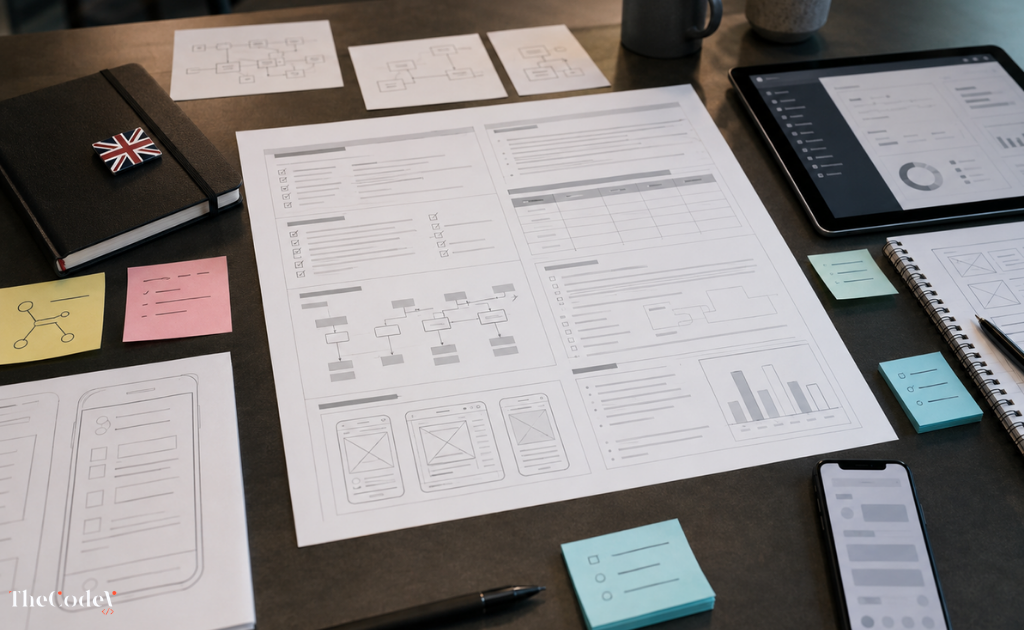

Design-to-Code Automation: Turning Design Systems into Production-Ready UI
From Manual Handoffs to Automation
For decades, digital teams have wrestled with a familiar frustration — the messy handoff between designers and developers. While designers perfect pixel-accurate interfaces in tools like Figma, developers must manually translate those static visuals into functional code. This disconnect often leads to inconsistencies, delays, and costly revisions. The traditional “handoff” has long been one of the biggest productivity bottlenecks in modern product development.
Enter design-to-code automation — the breakthrough that’s changing everything. By using intelligent automation pipelines, design files can now be converted directly into production-ready components, bridging the gap between creativity and code. Instead of developers recreating what already exists visually, systems can automatically interpret design tokens, layer structures, and component hierarchies to generate usable front-end code.
As TheCodeV — a UK-based software company delivering global digital solutions — explains, this new paradigm eliminates repetitive manual steps and brings teams closer together. Whether it’s Figma, Sketch, or Adobe XD, automation can now translate designs into code frameworks like React or Vue within minutes. This convergence is not only improving efficiency but also redefining how designers and developers collaborate.
According to the Figma blog, automation is “shifting the designer’s role from pixel perfection to system thinking,” a move that enables faster scaling and consistent brand experiences. It’s not just about speed; it’s about empowering teams to focus on strategy, UX, and innovation rather than re-coding existing design patterns.
Why 2025 is the Tipping Point for Design Automation
So, what is design automation, and why is it reaching a turning point now? Simply put, design automation refers to using intelligent tools and workflows that automatically convert, synchronise, and standardise design assets into functional components. With the growing sophistication of figma design to code automation, this technology has evolved beyond simple exports — it’s becoming a central part of design systems and software pipelines.
By 2025, companies that rely solely on manual handoffs risk falling behind in speed and scalability. The rise of automation tools powered by AI, APIs, and code generation engines is making seamless transitions between design and development the new standard.
At TheCodeV’s Digital Services division, teams are helping organisations adopt these intelligent automation workflows to reduce time-to-market and maintain consistent, high-quality user interfaces.
What Is Design Automation (and Why It Matters for Modern UI Development)
Understanding Design Automation in Practice
If you’ve ever asked yourself, “What is design automation?” the simplest answer is this: it’s the process of using intelligent systems and tools to streamline, standardise, and in many cases, automatically execute parts of the design-to-development workflow. In the world of UI and front-end design, design automation means transforming static visuals into dynamic, reusable, and coded components without endless manual intervention.
Instead of designers exporting endless assets and developers rebuilding layouts from scratch, automation tools synchronise both sides of the process. This approach ensures that every colour token, spacing rule, and component interaction remains consistent from prototype to production. It’s the key to faster iteration, improved collaboration, and a more cohesive user experience.
The Nielsen Norman Group notes that automation empowers teams to focus on creativity and problem-solving by offloading repetitive tasks to smart systems. For instance, rather than adjusting button styles one by one, design automation can instantly propagate visual changes across an entire design system. The result? Reduced human error and an accelerated design cycle.
Forward-thinking companies like TheCodeV have adopted these principles within their agile development pipelines, ensuring that visual consistency isn’t just a design goal — it’s a coded reality. By integrating automation design guides into their workflows, they enable designers and developers to operate from a single source of truth, enhancing productivity while maintaining a seamless brand experience across products and platforms.
From Mockups to Real Code
In practical terms, what is code automation? It’s the technical side of this evolution — using algorithms, APIs, or AI-assisted tools to generate clean, readable code directly from design assets. Imagine a design created in Figma being converted automatically into React components or HTML/CSS frameworks, complete with responsive behaviour and accessible markup. That’s design automation at work, bridging creativity and engineering.
This shift transforms front-end development from a manual, error-prone process into a highly efficient workflow driven by precision and repeatability. Teams can iterate faster, reduce redundant coding, and achieve higher design fidelity. Tools like Adobe XD and Figma’s plugin ecosystem are leading this movement, making design automation more accessible to design and engineering teams than ever before.
The Adobe XD Blog highlights how automation allows design systems to “scale intelligently with minimal manual oversight,” paving the way for rapid innovation in large-scale software environments.
Through TheCodeV’s Consultation Services, organisations can now integrate these automated workflows into their own systems — aligning design, development, and business goals in one cohesive process.
Figma Design-to-Code Automation: The Future of UI Workflows
How Figma Is Redefining Developer Handoff
For years, design-to-development handoffs have been the silent productivity killer in software teams — designers export, developers rebuild, and teams lose valuable time bridging creative intent with functional execution. Figma design to code automation has emerged as the modern solution to this long-standing problem, enabling designers and developers to collaborate through intelligent automation rather than manual rework.
At its core, Figma isn’t just a design tool anymore — it’s a design-to-development ecosystem. Using APIs, plugins, and design tokens, teams can now generate component-based code directly from Figma files, turning static artboards into dynamic, production-ready components. Instead of delivering flat designs, teams can export responsive UI elements into frameworks like React, Vue, or Flutter with remarkable precision.
This process, often referred to as “Figma to React automation”, allows for true synchronisation between design and codebases. Each layer, style, and constraint is mapped into structured components, giving developers a head start and dramatically reducing handoff friction. Platforms such as Figma Developers Portal and community-driven initiatives on UX Design.cc highlight how Figma’s open ecosystem is transforming the development process.
Companies like TheCodeV have embraced this approach to automate design delivery pipelines for clients across industries — from SaaS platforms to eCommerce solutions. Their technical teams integrate Figma’s automation capabilities within agile workflows, ensuring that every project moves from concept to coded interface faster, cleaner, and with consistent design integrity.
Figma Tokens and Code Generation Explained
One of Figma’s most powerful automation tools is design tokens — the reusable values that define a design system’s visual language (e.g., colour palettes, spacing, typography). Through plugins and APIs, these tokens can be exported as JSON or CSS variables and injected directly into front-end codebases. This concept forms the foundation of component library automation, where UI consistency is maintained across every platform without manual duplication.
For instance, design tokens for a button component — colour, border radius, padding — can automatically generate a corresponding React component. Updates made in Figma cascade instantly through connected repositories, creating a single source of truth for both designers and developers. As highlighted by Frontend Masters, this automation ensures scalability and maintainability, especially in large design systems.
By leveraging such modern pipelines, TheCodeV’s engineering teams help clients eliminate redundant rework and accelerate product delivery. Their automation-first approach means design revisions no longer trigger a full front-end rebuild — instead, updates flow seamlessly through codebases via synchronised APIs.
The synergy between design precision and development efficiency achieved through figma design to code automation represents more than a workflow improvement — it’s a paradigm shift in how software interfaces are created
Turning Design Systems into Production-Ready UI
Why Design Systems Are the Foundation of Automation
Modern digital products depend on one crucial element — consistency. From typography and button styles to layout grids and accessibility standards, a design system acts as the single source of truth that ensures every user interface feels cohesive and reliable. However, managing these systems manually can be complex and time-consuming. This is where design system automation steps in — transforming abstract design principles into tangible, production-ready code components.
At its core, design-to-code automation connects design systems directly with development environments, removing the gap between visual design and technical implementation. Each design token, style, and component is automatically translated into coded UI elements that retain fidelity across platforms. According to Smashing Magazine, automated systems reduce redundant work by converting design assets into reusable components, ensuring scalability across different teams and devices.
Through intelligent pipelines, companies like TheCodeV help businesses deploy and maintain their design systems efficiently. Their automation workflows guarantee pixel-perfect alignment between design intent and front-end execution, resulting in faster product delivery without compromising visual quality.
In practice, this means that when a designer updates a colour palette or modifies a layout, the change can automatically propagate throughout the production environment — reducing version mismatches and manual refactoring. By embedding automation design tips into every project, TheCodeV ensures clients gain both creative control and technical precision.
Bridging UI Consistency with Code Efficiency
A fully automated pipeline bridges design and code by converting Figma or Sketch components into front-end frameworks such as React, Vue, or Angular. These systems generate modular code that mirrors design specifications, enabling development teams to focus on logic rather than layout. The Material Design Guidelines illustrate how automation can enforce visual hierarchy and spacing rules programmatically — ensuring accessible, uniform experiences across devices and platforms.
For example, an automation code example might involve exporting typography tokens from Figma and automatically applying them to CSS variables used across multiple apps. Similarly, buttons, icons, and navigation bars can be generated through scripts that convert reusable design modules into coded equivalents. This not only speeds up iteration cycles but also guarantees brand consistency at scale.
TheCodeV leverages such automation pipelines across diverse industries — from fintech dashboards to retail interfaces — streamlining collaboration between designers and developers. Their process aligns brand identity, design systems, and production code into a seamless workflow that empowers teams to innovate without rework.
Ultimately, design system automation represents more than a technical upgrade; it’s a strategic shift toward operational excellence in UI development.
Real-World Examples: How Design-to-Code Automation Works
Code Generation in Action
The promise of design-to-code automation becomes tangible when we see it in action — transforming static design files into working code with minimal manual intervention. Let’s explore some automation code examples that illustrate how real teams are bridging creativity and engineering through tools like Figma, React, and Flutter.
One of the most common pipelines in 2025 is Figma → React automation, where design components are automatically converted into clean JSX code. For instance, a button created in Figma with colour tokens and padding rules can be translated into a reusable React component:
// Example: Automated Figma → React Component

export const PrimaryButton = ({ label }) => (

<button className="btn-primary">

{label}

</button>

);
Such an automation code example reflects the power of systems like Anima and Locofy, which read layer structures, auto-generate responsive CSS, and even handle interactions like hover states or animations. Similarly, TeleportHQ enables Figma → Flutter conversions by interpreting design constraints into Dart components.
This evolution isn’t just about efficiency — it’s about consistency and scalability. By following structured methodologies such as function 12 figma design to code automation, design teams can ensure their component hierarchies remain perfectly aligned with development frameworks. According to CSS-Tricks, automated component mapping reduces UI drift and makes multi-platform deployment significantly faster.
EmporionSoft and TheCodeV’s Digital Services teams have successfully implemented these frameworks for clients spanning SaaS, eCommerce, and fintech sectors. Their pipelines connect design tokens, REST APIs, and component libraries, allowing instant synchronisation between design updates and production codebases — a leap forward in agile delivery.
As the Figma Blog points out, code generation no longer replaces developers — it augments them, freeing them to focus on complex logic and user experience refinement rather than repetitive layout translation.
Bringing Automation into Real Projects
In real-world practice, implementing design-to-code automation requires a combination of tools, structure, and team adaptation. TheCodeV integrates solutions like Anima’s responsive exports and Locofy’s visual inspector directly into client workflows, ensuring seamless transitions from Figma designs to front-end codebases.
For example, in one project, TheCodeV’s developers configured a pipeline that automatically pulled updates from Figma using tokens for spacing, typography, and colours. When designers adjusted the design system, those tokens were instantly reflected in production code, maintaining brand accuracy across the platform. This automation design tutorial approach allowed the client’s engineering team to deliver updates 40% faster while improving consistency.
Meanwhile, EmporionSoft’s engineering division experimented with TeleportHQ’s Figma-to-Flutter export to streamline mobile UI deployment — an approach praised by Web.dev for aligning with modern web standards and accessibility principles.
Together, these cases demonstrate that design automation is no longer a theoretical concept — it’s a proven methodology redefining how digital products are built.
Benefits and Challenges of Design-to-Code Automation
Faster Delivery, Fewer Errors
There’s no doubt that design to code automation has reshaped how digital teams work. By automating the repetitive steps between design and development, organisations gain unprecedented speed, consistency, and collaboration. Teams no longer waste time manually exporting assets or rebuilding layouts — instead, they focus on innovation and refinement.
The most immediate benefit is speed. Automated workflows can convert complete Figma design files into production-ready code within minutes, eliminating days of manual development. This acceleration translates directly into faster time-to-market — a decisive advantage in competitive industries.
Equally important is accuracy. Design-to-code tools reduce the risk of human error by maintaining a single source of truth across all environments. Once a design token or component is defined, it propagates consistently through every build, ensuring brand alignment and visual cohesion. The UX Collective reports that automation-driven design systems improve quality and reduce post-launch inconsistencies by up to 60%.
Collaboration also benefits from automation. Designers, developers, and product teams can now work within unified frameworks where visual and coded components speak the same language. Platforms like Figma, Anima, and Locofy bridge creative and technical disciplines, removing the traditional communication gap between teams. This collaborative workflow is what powers TheCodeV’s approach, as outlined in their Consultation Services — combining automated tools with agile methodologies to ensure clarity and speed at every project stage.
Another significant gain is scalability. When product teams manage multiple brands, themes, or platforms, automated pipelines ensure that global updates ripple seamlessly across systems. From startups to large-scale enterprises, automation has become a central pillar of sustainable UI engineering.
Why Human Oversight Still Matters
Despite its transformative potential, automation isn’t without its limitations. Knowing what is code automation — and what it can and cannot replace — is critical for success. Automation excels in repetition and standardisation, but nuanced design decisions still require human judgement.
Code quality remains a key concern. While automation tools can generate usable output, that code often needs optimisation for performance, accessibility, and maintainability. The Webflow Blog notes that automated generation can sometimes produce verbose or redundant code that must be refined manually to meet production standards.
Similarly, flexibility can become a challenge when teams rely too heavily on automation. Over-automated systems may struggle with edge cases, unique layouts, or unconventional interactions. This is why TheCodeV’s experts maintain a balance between automation and craftsmanship, combining algorithmic precision with human creativity to deliver polished results.
Even AI-assisted coding systems like GitHub Copilot require human oversight to ensure logic and intent align with business goals. Automation should support developers — not replace them. When used thoughtfully, it amplifies their efficiency while preserving the creative touch that defines exceptional user experiences.
For organisations embracing automation, the best approach is to combine automation design tips with strategic human involvement — using technology for scale and consistency while keeping designers and engineers at the helm for vision and innovation.
As TheCodeV’s About Us page highlights, their automation philosophy blends efficiency with expertise, ensuring every product is not just built faster — but built better.
Best Practices and Tools for 2025
Top Tools Driving UI Automation in 2025
As design-to-code technology continues to mature, a new generation of tools is empowering teams to build faster, collaborate seamlessly, and maintain brand consistency across every screen. The following platforms are at the forefront of the automation design guide for 2025, helping businesses bridge the gap between creativity and clean code:
Anima – Converts Figma or Sketch designs into responsive React, Vue, or HTML code. Ideal for teams seeking pixel-perfect exports without sacrificing control.
Uizard – Uses AI to transform sketches or wireframes into interactive UI prototypes, speeding up the early stages of design automation.
Supernova – Focuses on design system automation, converting Figma design tokens into production-ready codebases, supporting multi-platform workflows (Flutter, iOS, and React Native).
Figma Tokens – Enables teams to maintain consistent colour, typography, and spacing rules. Tokens can be exported as JSON or CSS variables, ensuring design updates instantly reflect in live code.
Locofy.ai – Provides intelligent Figma-to-code generation with built-in authentication and responsive logic, making it ideal for MVPs and SaaS dashboards.
According to the Figma Developers Blog, these tools are helping developers and designers achieve “unprecedented collaboration through connected systems,” where design revisions and code updates happen almost simultaneously.
At TheCodeV’s Digital Services division, such tools are integrated into every project pipeline, allowing global teams to scale efficiently and maintain visual harmony without repetitive manual rework.
Practical Design Automation Tips for Teams
Automation works best when it complements human expertise, not replaces it. Whether your team is just starting or refining an existing workflow, the following automation design tips will help you achieve smoother, faster, and more consistent outcomes:
Start with a strong design system — Define your tokens, spacing, and colour hierarchy before automating to ensure consistency from the start.
Adopt modular design thinking — Build reusable UI components that can easily map to code frameworks like React or Vue.
Keep your code clean — Review and refactor auto-generated code regularly to maintain quality and performance.
Automate accessibility checks — Integrate accessibility plugins early, ensuring inclusive design standards are met before production.
Sync design and code repos — Use version control and continuous integration (CI) pipelines to link design tokens directly with your repository.
Train teams collaboratively — Encourage designers to learn about front-end structure and developers to understand visual systems.
Iterate with feedback — Treat automation as an evolving process, improving the rules and templates with every project.
As Google UX notes, automation should serve as “a creative amplifier — not a constraint.” It enhances design intelligence by giving teams more time to focus on innovation rather than maintenance.
Through smart automation and expert guidance, companies can streamline their UI workflows, scale confidently, and deliver better products faster.
For teams looking to implement these workflows professionally, TheCodeV’s Pricing Plans offer scalable solutions tailored to both startups and enterprise needs — helping clients stay ahead in the fast-evolving automation landscape.
The Future of Design-to-Code Automation — From AI to Full Autonomy
AI’s Role in Design Automation
As automation continues to transform the software landscape, the next great leap lies in AI-driven design-to-code automation — where intelligent systems not only translate designs into code but also generate and optimise them autonomously. Artificial intelligence is becoming the creative assistant of tomorrow, capable of understanding user intent, adapting layouts, and refining visual elements without direct human input.
Today, AI is already being used to analyse user data and suggest design patterns that improve engagement and accessibility. In 2025 and beyond, tools integrated with machine learning models will be able to convert wireframes or textual briefs directly into coded prototypes. This means faster iterations, higher accuracy, and smarter design decisions powered by automation and context-aware intelligence.
According to the Google AI Blog, emerging design tools leverage AI to “understand visual intent” — effectively learning how designers think and optimising UI for responsiveness, accessibility, and performance. Imagine a scenario where a system reviews live analytics and automatically adjusts layouts or typography for better conversion — a form of intelligent UI adaptation that redefines front-end engineering.
For TheCodeV, this convergence of AI, automation, and creativity represents the new frontier. By blending automated code generation pipelines with machine learning design insights, their teams create adaptive, data-driven design systems that evolve alongside user behaviour. This is where automation code examples and human design intelligence unite — producing interfaces that are not just consistent and fast, but also self-optimising and responsive to user needs.
Partner with TheCodeV to Build the Future of UI
The shift towards AI-assisted design signals a monumental opportunity for businesses. No longer bound by the slow, linear processes of traditional design and development, teams can now achieve near-real-time product iteration — moving from concept to code in record time. The future lies in AI-enhanced design-to-code automation, where design systems become intelligent, evolving ecosystems rather than static libraries.
TheCodeV stands at the forefront of this transformation, helping global organisations harness automation and AI to build scalable, production-ready user interfaces. By merging advanced code generation with design intelligence, they’re redefining what’s possible in front-end engineering — from startups to enterprise-level platforms.
To explore how your business can benefit from these innovations, visit:
About Us — learn about our mission and expertise in automation-driven digital solutions.
Services — discover our comprehensive suite of web and app development services powered by automation and AI.
Contact — connect with our team for a free consultation and discover how design-to-code automation can accelerate your product delivery.
As MIT Technology Review highlights, “AI’s greatest strength lies in its ability to enhance, not replace, human creativity.” At TheCodeV, this philosophy drives every project — combining automation precision with human innovation to build the next generation of digital experiences.
Ready to embrace the future of automation-driven UI design?
Partner with TheCodeV today and transform your design workflows into intelligent, production-ready systems that evolve with your business. The future of digital design isn’t manual — it’s automated, adaptive, and built for innovation.